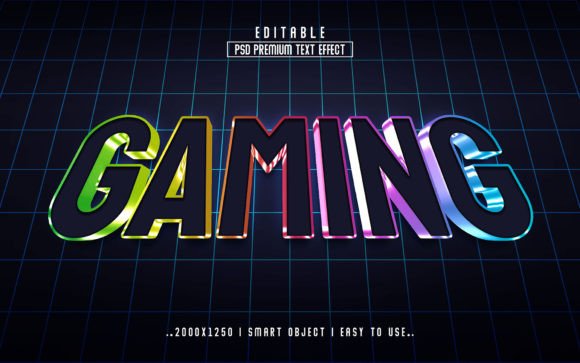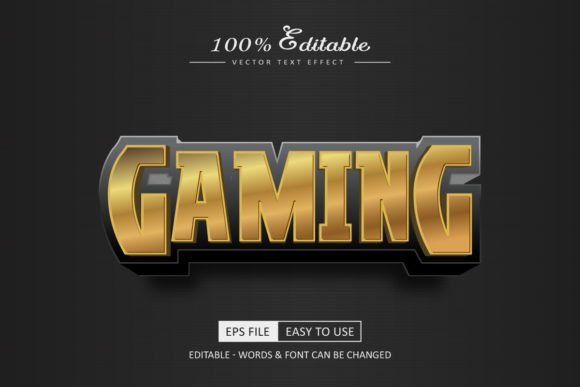
PSD Gaming 3D Editable Text Effect: A Quick Design Solution for Streamers, Creators, and Small Businesses
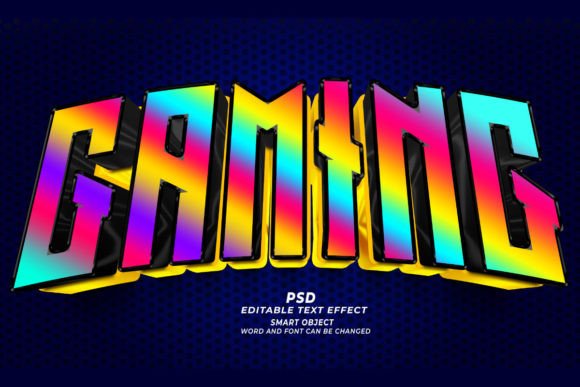
Sometimes the difference between a forgettable thumbnail and one that stops a viewer mid-scroll comes down to typography. A flat, static title rarely grabs attention in a feed crowded with gaming highlights, live stream announcements, or Discord community banners. If you have ever spent an hour wrestling with Photoshop layer styles, bevels, and shadows only to end up with something that still looks generic, a PSD Gaming 3D Editable Text Effect can change how you approach visual content. It is not a plugin, not a complex action set, but rather a carefully built Adobe Photoshop file where the heavy lifting is already done. You open it, double-click a smart object layer, type your own words, and save. The 3D depth, the playful thickness, and the glossy highlights update instantly.
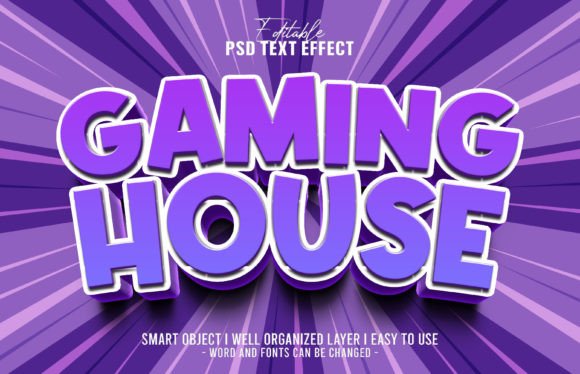
What makes this particular resource stand out is the cute background that comes paired with the text effect. Instead of a transparent or solid field, you get a cheerful, illustrated-style backdrop that softens the aggressive edge often associated with gaming graphics. This opens the door to content creators who need something warm, inviting, and family-friendly without sacrificing the dimensional pop that makes a title feel large and tangible. Everything is 100% editable: the words themselves, the font you choose, and the overall size. And because it is built at 300dpi, you are not locked into screen-only uses—you can pull elements into print projects without worrying about blurry edges.
What Exactly Is a PSD Gaming 3D Editable Text Effect?
At its core, this is a Photoshop document (PSD) that uses smart objects to let you replace placeholder text with your own message. Rather than manually constructing a 3D look from dozens of layers, you get a single, easy-to-find layer labeled something like “Edit Your Text Here.” Double-clicking opens a new window where you can type, change the font, adjust the size, or add symbols. When you save that smart object and close it, the main file instantly updates with the exact same 3D extrusion, lighting, and texture applied to your new text. You do not need to understand Photoshop’s 3D workspace or render engines. It is effectively a template that handles the technical side while you focus on wording and font pairing.
The inclusion of a cute background changes the typical gaming aesthetic. Think soft pastel gradients, whimsical shapes, or gentle star fields rather than harsh neon on black. This combination—childlike charm with a solid three-dimensional title—creates an immediately recognizable contrast. The effect still reads as gaming, but it feels more accessible. For streamers who play cozy titles, content around parenting and gaming, or educational channels that use game-like visuals to teach, this avoids the intimidating “hardcore” vibe while still maintaining that video game energy.
YouTube Thumbnails That Need to Perform
Most YouTube thumbnails are viewed on a phone screen no larger than a few inches. Thin, flat text disappears. A thick 3D title with a subtle drop shadow and bevel catches light differently, and that difference often translates to higher click-through rates. Because the PSD allows you to change the font and size without rebuilding the effect, you can run quick A/B tests. One week you might use a bold, chunky font for a “BEST BUILD EVER” video; the next, a slightly slimmer style for a story-driven recap. Both carry the same polished 3D look, so your channel maintains a consistent visual signature. The cute background also gives you a ready-made, eye-catching canvas, meaning you do not have to hunt for a complementary backdrop every time you need a thumbnail.
Twitch Panels, Overlays, and Scene Transitions
On a Twitch channel, visual clutter can frustrate viewers. You need clear labels for your “About,” “Schedule,” “Rules,” and “Donate” panels. Many streamers end up with mismatched text styles because they create each panel weeks apart using different techniques. Opening the same PSD Gaming 3D Editable Text Effect for every label ensures uniform thickness, lighting, and color depth. For starting streamers without dedicated designers, this removes the visual inconsistency that can make a channel look amateurish. The cute background also works well for “brb” screens or chat rules, where a lighter, friendlier tone encourages community interaction. You can scale the text up for a large “Starting Soon” scene or down for a tiny “Sub Goal” tracker without losing crispness, thanks to the smart object structure.
School, Club, and Community Gaming Events
When a middle school e-sports club, a library teen program, or a local gaming café promotes a tournament, they rarely have a professional designer on hand. A teacher or volunteer usually cobbles together a flyer using free tools, and the result often looks messy. With this PSD, a staff member who knows just enough Photoshop to open a file and type can produce a flyer that looks custom-made. The cute background is particularly helpful here. It signals to parents that the event is age-appropriate and not overly intense, which matters when advertising to families. Because the file is 300dpi, printing 8.5x11 sheets or even larger posters yields crisp, readable type even from across a hallway.
Social Media Announcements and Posts
Instagram, Twitter, and TikTok reward graphics that feel native to the platform but still pop. A flat, text-only post about a charity stream or a game night will likely be ignored. Dropping your announcement text into the 3D effect and placing it over the provided background gives you a scroll-stopping image in minutes. Freelancers managing multiple gaming client accounts can create a template folder where this PSD serves as a base for event banners, giveaway notices, or patch note highlights. Changing just the text and font while keeping the same background style ties the posts together into a recognizable campaign. The editable nature means you can quickly localize the text into different languages without redesigning the wheel each time—simply open the smart object, paste in the translation, and export.
Merchandise and Print-on-Demand Designs
For a small business owner running an online store, the jump from digital to physical can be intimidating. Many assume that anything made for a screen will look blurry on a T-shirt or mug. The 300dpi resolution of this PSD debunks that fear. You can transfer the 3D text—with or without the background—onto a print-on-demand mockup and trust that the edges will remain sharp. Think of a simple “GG” or “Level Up” text design on a tote bag, or a custom sticker pack for a gaming community. Because you can change the font, you can match the text style to your existing brand logo. And the cute background adds an unexpected twist: merchandise aimed at younger gamers or those who enjoy lighthearted, kawaii-inspired aesthetics sells well in niche communities that feel overlooked by typical aggressive gaming apparel.
Who Benefits Most and How They Use It
Hobbyist content creators who make gaming montages for fun often underestimate the power of a consistent title card. With this PSD, they can stop searching for free “gaming fonts” that do not render well and instead use any font installed on their system—the effect applies itself. The time saved goes back into editing the actual video. Educators who gamify their classroom materials (think “Boss Battle: Algebra” or “Quest Intro: The Water Cycle”) can create engaging slides that appeal to students used to video game interfaces. The cute background ensures the material feels playful rather than threatening.
Freelance graphic designers sometimes need to deliver volume. A client may order 20 variant banners for a mobile game launch, each with a different call-to-action. Building a 3D text style from scratch for each one is slow and repetitive. Smart objects turn that into a paste-and-save workflow. A designer can even pass the PSD to the client with instructions, allowing the client to make small text tweaks without incurring extra revision fees. The client learns the simple click-and-edit process within minutes, reducing back-and-forth.
Small business owners and entrepreneurs running gaming cafés, board game shops, or retro arcades are often stretched thin. They need to update social media with weekly event schedules but lack a dedicated marketing employee. A reusable text effect template becomes their in-house design tool. The cute background also differentiates their promotions from those of larger, more corporate chains, giving their feed a human, personal touch that local customers recognize.
Practical Observations Before You Jump In
While the concept of “just click and edit” sounds automatic, you need to have Adobe Photoshop installed and functional. This is not a web app or a phone editor. The file relies on Photoshop’s smart object technology, so alternative programs like GIMP or Canva will not work out of the box unless you specifically convert it—and the conversion often breaks the smart object chain. If you are a creator who works entirely on an iPad, be aware that Photoshop for iPad supports smart objects, but you might need to test the file on a desktop if any issues arise. Most users find the process seamless on standard desktop versions of Photoshop CC.
Font selection matters more than you might think. A heavily extruded 3D effect can make overly thin or decorative fonts hard to read, especially at small sizes. Fortunately, because you can change the text size within the smart object, you can scale up or down to find the right balance. Thicker, bolder fonts tend to hold the three-dimensional shading better and feel more “game-like.” It is also worth considering that the cute background might clash with certain messages. If you are posting about a horror game tournament or a gritty competitive FPS event, the cheerful backdrop might need to be swapped or toned down. The text effect itself remains intact even if you hide or replace the background layer, so you can pair the 3D title with a darker, custom background if needed.
For print work, always check that the resolution remains 300dpi after any resizing you do to the overall canvas. The smart object itself contains high-resolution data, but dragging the entire group into a pre-existing print document might scale down the effective resolution. A quick check in Photoshop’s Image Size dialog prevents disappointment at the printer.
Connecting the Features to Real Outcomes
Every time you do not have to manually build bevels, drop shadows, inner glows, and gradient overlays, you save about 15–30 minutes per project. Over a month of thumbnails, stream panels, and social posts, that easily adds up to hours. Those hours can go toward actually creating content, engaging with your community, or simply resting instead of refining pixels.
The 100% editable nature means the resource does not become obsolete when your channel rebrands or your client changes their preferred phrasing. You open, edit, and move on. There is no limit on how many different words or phrases you can create, and because the smart object does not degrade, you can iterate endlessly without quality loss. One local meetup organizer described using the same PSD for three years, altering only the date and event name each time, yet the result consistently looked like a fresh design because small shifts in font and color kept things novel.
The high resolution also future-proofs your work. Today you might need an Instagram story graphic; next year you might want to sponsor a printed banner at a convention. Having the original at 300dpi means you do not have to start over. You simply scale and export at the required dimensions.
Subtle Ways to Expand the Effect Across Your Workflow
Some users do not stop at single words. They combine multiple smart object instances to create layered titles—a main headline and a subheading that both carry the 3D effect. Because the cute background often has soft, open areas, you can place supplementary information in flat text without visual conflict. A YouTube thumbnail, for example, might feature a large 3D title like “NEW UPDATE” and then a smaller curved text label saying “All bosses defeated” sitting naturally within the provided background’s negative space.
Others use the PSD as a bridge to learn more about Photoshop. By opening the smart object and examining how the original text effect layers are arranged, you can reverse-engineer the technique for your own custom styles later. It becomes a teaching file as much as a production file, especially for those dipping into design for the first time because their hobby or side business demanded it.
Ultimately, the PSD Gaming 3D Editable Text Effect strips away the friction that often prevents non-designers from producing gaming visuals that look intentional and professional. It does not demand advanced knowledge. It does not require you to be a Photoshop expert. It just gives you a reliable starting point that you can adapt across YouTube, Twitch, print, social media, and beyond. And with a cute, ready-to-use background included, you have a full composition, not just a text style, making it a practical asset for anyone whose day starts with “I need a graphic, and I need it now.”