Building a Recognizable Brand with a Mascot E-sport Gaming Logo
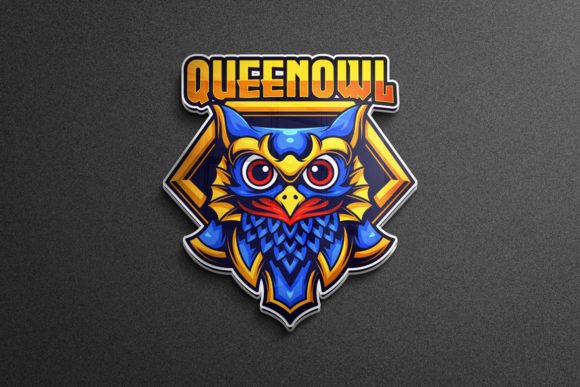
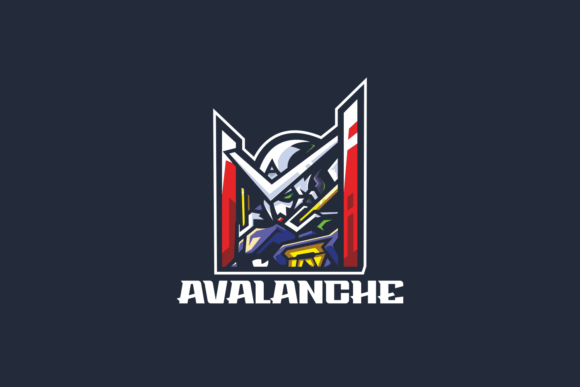
When you start putting together an esports team, a gaming channel, or a tournament brand, one of the first assets that defines how people perceive you is the logo. A generic emblem rarely sticks. Viewers scroll past it. Opponents forget it. What actually builds recall and identity in competitive gaming spaces is a character-driven mark—a mascot that carries attitude, energy, and a story. A Mascot E-sport Gaming Logo fills that role by combining aggressive stylization with a persona that fans and players can rally behind. It is not just decoration; it becomes the face of your presence across streams, merch, social banners, and in-game overlays.
The difference between a forgettable team badge and a memorable one often comes down to whether the logo feels alive. An animal head, a cybernetic warrior, a mythical creature rendered in sharp angles and neon accents—these elements do more than look good. They establish tone. They make a statement before a match even begins. The practical question is how to get from a concept to a production-ready file set that works everywhere you need it, without spending weeks on revisions or struggling with incompatible formats.
What the Mascot E-sport Gaming Logo Asset Pack Delivers
This is not a single image file that leaves you stuck when you need to resize or recolor. The product includes 100 high-quality and high-resolution vector format mascot logos, each designed with the aggressive, clean aesthetic that esports demands. Because they arrive in vector format, you can scale any design from a Discord avatar to a full banner print without losing edge sharpness. The pack comes with Ai, EPS, PDF, and PSD files, which means you are covered whether you work in Adobe Illustrator, Photoshop, CorelDRAW, Affinity, or any vector-compatible software.
Alongside the vector source files, you receive high-resolution JPG and PNG versions. The PNGs include transparency, so you can drop them directly onto dark stream overlays, jersey mockups, or website headers without cleaning up backgrounds. The JPGs work for quick previews, social posts, and places where file size matters. Having both raster and vector formats ready from the start removes a bottleneck that often derails branding projects: the back-and-forth conversion requests between designers, content creators, and print vendors.
RGB-Ready Color Control and Text Editing
Esports branding lives on screens. Monitors, televisions, and projectors all operate in RGB color space, and this logo set is built with RGB included from the start. You do not need to convert from CMYK and then adjust for the color shift that inevitably happens. The colors are vibrant, saturated, and tuned for digital display environments—exactly where gaming audiences will see them.
One of the most practical features is how easy it is to change color and text. Every element in the vector files remains fully editable. You can open the Ai or EPS file, select the mascot's fur, armor, or glowing eyes, and recolor them to match your team palette in seconds. The same applies to any typography included in the logo lockups. If you need to swap out a team name, tagline, or sponsor text, you can do it directly in the source file without distorting the mascot artwork. This editable flexibility means you can start with a pre-built design and still make it distinctly yours—no generic duplication across competing teams.
Why Editable Source Files Matter in Fast-Paced Environments
Esports schedules are tight. A team qualifies for a tournament and suddenly needs updated branding with sponsor logos, alternate colorways for different jerseys, or a simplified version for small-size applications like browser tab favicons. Waiting on a freelance designer to make these adjustments creates delays. When you hold the fully editable logo source files, your content creator or in-house designer can produce the variants in an afternoon rather than a week. This self-sufficiency reduces costs over time and keeps your branding consistent under pressure.
Integrating Mascot Logos Into Your Broader Workflow
Understanding where the Mascot E-sport Gaming Logo fits within your team or channel operations helps you plan asset usage more effectively. Think of the logo not as a finished product sitting in a folder, but as a core asset that feeds into multiple tools and platforms.
Before a project launches—whether it is a new stream setup, a tournament registration, or a merchandise drop—you need to map out every touchpoint where the logo will appear. These typically include:
- Streaming platforms: Twitch profile pictures, offline screens, alert animations, and panel headers.
- Social media: Twitter/X banners, Instagram posts, YouTube channel art, TikTok overlays.
- Competition assets: Tournament brackets, broadcast overlay bugs, player profile cards.
- Physical merchandise: Jerseys, hoodies, mousepads, stickers, and signage.
- Printed collateral: Business cards for sponsorships, event banners, and media kit covers.
Mapping this out early prevents the chaotic situation of needing a vector file for a large-format print while only having a low-resolution JPG on hand. Since the pack delivers vector format files (Ai, EPS, PDF, PSD) alongside high-resolution images, you can confidently move between digital and print without pixelation surprises.
During the Branding Process: Iteration and Feedback
Once you select a mascot design from the 100 options, the real work of fitting it into your identity begins. You will likely go through rounds of color testing, typography pairing, and layout adjustments. Because the source files are fully layered and editable, you can quickly generate multiple variations to present to stakeholders, teammates, or sponsors. Someone wants to see the logo in monochrome for a white jersey? Duplicate the artboard, strip the color fills, and export a preview in minutes.
This iterative speed matters when you are coordinating with multiple people who have different visual preferences. A team captain, a social media manager, and a merchandise vendor each have their own requirements. Rapid prototyping keeps momentum without sacrificing quality. You also build a library of logo variants—full color, single color, horizontal lockup, vertical stack, icon-only mark—that serve distinct purposes later.
After Launch: Maintaining Consistency Across Applications
The period after you go live with new branding is where most teams lose control. Different people grab different versions of the logo from different places. Someone screenshots a compressed social media post and uses it as a print source. Quality erodes. The most effective way to prevent this is to organize the ready-to-use file collection into a shared but controlled folder system.
Create a master folder with clearly labeled subdirectories:
- Vector Source: Ai, EPS, PDF master files with full editability.
- Raster Exports: High-resolution PNG (transparent background) and JPG versions at common sizes.
- Color Variants: Alternate colorway exports for light backgrounds, dark backgrounds, and monochrome use cases.
- Team-Specific Adaptations: Versions with team names, sponsors, or tournament-specific modifications.
Grant access to the appropriate folders based on role. Designers get the vector source folders. Social media managers get the export-ready rasters. This structure eliminates confusion and protects the integrity of your logo across every application, from a tiny mobile screen to a stadium banner.
Compatibility With Design Tools and Platforms
The file formats included in this pack align with industry-standard software. Ai files open natively in Adobe Illustrator and can be imported into Affinity Designer. EPS is a universal vector exchange format that works across nearly all professional design tools, including free options like Inkscape. PDF files preserve vector paths and can be opened by anyone with a PDF viewer for quick checks, while also containing editable layers for advanced users. The included PSD format layers raster and vector elements in Photoshop, useful for mockup placement and texture overlays.
For non-designers on your team, the high-resolution JPG and PNG files are ready to upload directly to website builders, streaming software, and social platforms. OBS Studio accepts PNG overlays with transparency. WordPress media libraries handle JPG and PNG without extra processing. You do not need to train everyone on vector editing—you provide them the correct raster exports and keep the source files safe.
Quality Control and Long-Term Preservation
High resolution is not just a checkbox—it determines whether your logo looks crisp on a 4K broadcast or turns into a blurry mess when scaled for a large-format print. The vector format inherently solves the scaling problem, but the raster exports also need to start from a high enough base resolution. The JPG and PNG files included meet this standard, giving you export-ready images that hold up under scrutiny.
For long-term use, archiving the vector source files matters more than saving every raster variant. Vector files are small, resolution-independent, and future-proof. If display technology shifts or new platforms emerge with different resolution requirements, you can always re-export from the source at the exact specifications needed. This protects your initial investment years beyond any single campaign or season.
Practical Observations From Teams Who Adopt This Approach
Teams and content creators who integrate a comprehensive mascot logo pack tend to move faster on sponsor commitments. When a potential sponsor asks for a mockup of their logo alongside your brand, you can produce a clean, professional preview in less than an hour. That responsiveness signals professionalism and often becomes a deciding factor in partnership decisions.
Another noticeable pattern is the reduction in rebranding frequency. When you start with a versatile, editable asset instead of a one-off commission that you cannot modify, you can evolve the colors, typography, and layout to stay current without completely abandoning the recognizable mascot character. Your audience builds familiarity with the mascot over time, and that accumulated recognition is valuable. Throwing it away because a rigid logo file could not accommodate a simple color adjustment is an avoidable waste.
Making the Selection From 100 Options
With a hundred designs available, the selection process itself deserves a structured approach. Start by filtering for the animal, character type, or thematic element that aligns with your team identity. Does your brand lean toward precision and speed? A raptor, wolf, or cybernetic predator might fit. Is your community more about resilience and power? A bear, bull, or armored warrior could be the right direction.
Once you narrow to a few candidates, test each mascot in its simplest form. Strip away color. Shrink it to icon size. Does the silhouette still read clearly? The strongest mascot logos maintain recognizable shapes even at small scales and in single-color applications. This test predicts how well the logo will function on a live stream where it appears as a small overlay bug next to player names.
After selecting the primary mascot, consider secondary logo variations for specific contexts. A condensed horizontal lockup might work for a website header, while a circular badge arrangement fits a mobile app icon. The editable source files let you rearrange elements without commissioning a new design.
Moving Forward With Confidence
A Mascot E-sport Gaming Logo is more than a visual asset—it is the anchor point for how your team or channel presents itself across every medium. The difference between struggling with inconsistent, low-resolution branding and maintaining a polished, professional presence often comes down to the file quality and editability you have from day one. Having 100 high-quality designs in vector format (Ai, EPS, PDF, PSD) with high-resolution JPG and PNG exports, full RGB color space, and the ability to easily change color and text positions you to handle branding demands as they arise, without waiting on external help or compromising on quality.
Organize your files thoughtfully. Map your touchpoints before you deploy. Test your selections at multiple sizes and in multiple color modes. When you treat the logo pack as a flexible, fully editable system rather than a static purchase, you take ownership of your brand's visual future. The esports audience is visually discerning and quick to judge. Meeting that bar with a sharp, adaptable mascot identity sets the tone before you ever say a word on stream or step onto a stage.